
Planning a business video starts with a clear idea. But how do you explain that idea to a video team? What should the video show? Who should watch it? What should people learn from it?
A video production brief helps answer these questions. It puts your ideas, goals, and needs into one simple document. It also helps your production team understand what you expect.
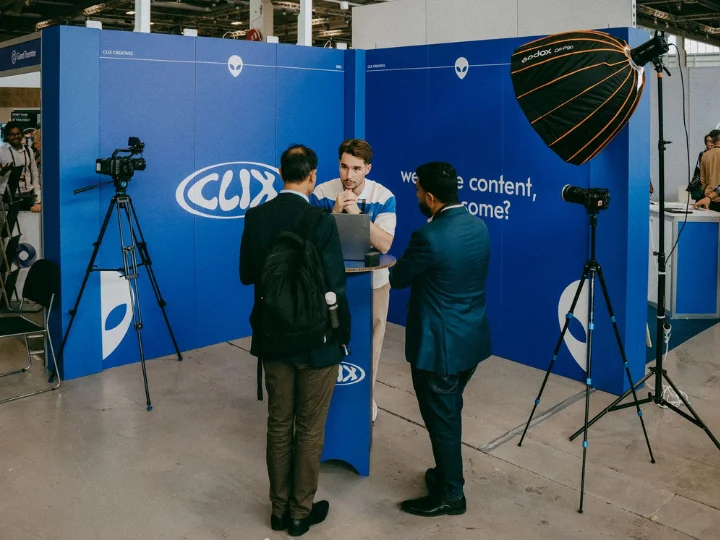
For businesses in Copenhagen, Denmark, and beyond, Clix Productions helps turn ideas into clear video concepts. But good results start with good planning.
This guide shows you how to write a video brief, what details to add, and how to use a free template. You will also learn how to avoid common mistakes and prepare your project for the next step.
Start With Your Main Goal

Before you write your brief, decide why you need a video.
Do you want to show a new product? Tell your brand story? Explain a service? Reach new customers?
Each goal needs a clear plan.
For example, a software company may want to show how its tool saves time. A fashion brand may want to show its new range. A business may need a short film to tell people what it does.
Write down the main goal first.
Ask yourself:
- Why do we need this video?
- Who will watch it?
- What should viewers learn?
- What action should they take?
- Where will we share the video?
Keep your answers short. Focus on one main goal. This helps your team understand the project before creative work begins.
If you are still exploring your options, read our guide on how to choose a video creator agency. It explains what to look for when finding a creative partner for your project.
Know Your Audience and Main Message
Your video should speak to the right people. So, think about your audience before you plan the content.
Are you speaking to customers, business owners, staff, or new buyers? What do they need to know? What problems do they want to solve?
Write a short note about the people you want to reach.
Next, choose one main message.
For example, if you sell business software, show how it helps people save time. Do not try to explain every tool or feature in one video.
Your creative brief for video should also explain the tone. Do you want the video to feel warm, bold, friendly, or formal?
Use simple words to explain your idea. You can also share a few video examples to show the style you like.
The aim is simple: your team should understand what you want viewers to remember.
Pick the Right Video Style

Once you know your goal, choose a video style that fits it.
Different videos serve different needs. A product video shows how something works. A brand film shares your story. An interview gives people a chance to hear real views. A company video can introduce your team and services.
Think about the message before you choose the style.
For example, a product demo may need clear shots of the product in use. A brand film may need people, real places, and a strong story.
You do not need to write a full script at this stage. Just explain your idea and the type of video you have in mind.
You can also read our guide on what commercial video production involves. It explains how businesses use video to share their message.
When you add visual examples to your brief, explain what you like about them. It may be the light, music, camera work, or mood.
This gives your team a clear guide while leaving room for new ideas.
Free Video Creative Brief Template
A good brief does not need to be long. It needs to cover the right details.
You can copy this video creative brief template into Google Docs. Fill in each part and share it with your team.
Video Production Brief
Project Details
- Project name:
- Company name:
- Contact person:
- Type of video:
- Target date:
Project Goal
- Why do you need this video?
- What should it achieve?
- What problem should it solve?
Audience
- Who will watch it?
- What do they need to know?
- What should they remember?
Creative Idea
- What is your main idea?
- What style do you like?
- Do you have video examples?
- Do you have a script?
Filming Needs
- Where will filming take place?
- Who will appear on camera?
- What products or items are needed?
- Are there any special needs?
Budget and Dates
- What is your budget range?
- When can filming start?
- When do you need the final video?
Final Video Files
- What video length do you need?
- Where will you share it?
- Do you need subtitles?
- Do you need more than one format?
Review and Approval
- Who will review the video?
- Who will give final approval?
- Who will send feedback?
This simple format helps you collect the main details in one place. You can change the fields to fit each new project.
A photography brief template can use a similar layout. It may cover images, lighting, people, and locations. A video brief needs more detail about sound, movement, filming, and editing.
Add Your Budget, Dates, and Other Needs
Your creative idea is only one part of the project. The production team also needs to know how the work will fit into your plans.
Start with the filming location. Will you film at your office, in a studio, or outside? If you are not sure, say so in the brief.
Next, list the people and items you may need. These could include staff, actors, products, or a presenter.
Add your budget range, too. You do not need an exact price. A clear range helps the team suggest the right plan for your needs.
Your dates also matter. Set a target for filming and final delivery. Leave enough time for edits and feedback.
Think about where you will use the finished video.
A website may need a wide video. Social media may need short clips for mobile screens. A product page may need a clear demo.
List all the formats you need. This helps the team plan the work from the start.
Avoid These Common Brief Writing Mistakes
A brief should make your idea clear. But a few simple mistakes can cause delays and extra work.
Too many goals: Do not try to cover every service or product in one video. Pick the main message.
Vague words: Words like modern, fresh, and creative can mean many things. Add examples to explain your style.
No audience details: Your team needs to know who will watch the video. This helps shape the message and tone.
Missing dates: Add your target dates so the team can plan the work.
No budget range: Share what you plan to spend. This helps the team suggest suitable options.
Too many reviewers: Decide who will give feedback. Too many different views can slow down the edit.
You do not need to control every small detail. Give the team a clear goal and let them suggest the best way to bring your idea to life.
What Happens After You Send Your Brief?

Once your brief is ready, read it again. Check that your goal, audience, message, and video needs are clear.
Then share it with your chosen production team.
The team may ask a few questions. It may also suggest changes to your idea, style, or filming plan.
You can then discuss the next steps, such as the script, filming dates, locations, and final files.
If you are still looking for the right team, read our guide on how to choose a corporate video production company. It covers the key points to check before you make your choice.
Before your first project call, keep your brief and visual examples ready. Also, decide who will speak for your business and approve the work.
This will help you have a clear and useful discussion.
Frequently Asked Questions
What is a video production brief?
It is a simple document that explains your video goal, audience, message, style, budget, and final needs.
How long should a video brief be?
Two to four pages may be enough for a simple project. Larger projects may need more detail.
Do I need a script before writing my brief?
No. Start with your idea and main goal. Your production team can help with the script.
What is the difference between a brief and a script?
A brief explains what you want the video to achieve. A script explains what people will say and what viewers will see.
Should I add my budget to the brief?
Yes. A budget range helps the team plan the work and suggest suitable options.
Can one brief cover more than one video?
Yes. You can use one brief for a campaign with several videos. Just list the needs for each video.
Conclusion
A clear brief can make video planning much easier. It helps you share your idea, set your goals, and explain what you need.
Start with one main goal. Add your audience, message, style, budget, and dates. Then use the free template to put all the details in one place.
Need help with your next video? Clix Productions can help you plan, film, and edit content for your business. Whether you need a brand film, product demo, company video, or commercial, the team can help bring your idea to life.
You can also call +4528766105 to discuss your next video.